Skip to content

AI Automation for Small Businesses: 7 Workflows Worth Building First (and 3 to Leave Alone)

Most small businesses do not need an AI strategy. They need three or four boring tasks to stop eating their week. These are the seven workflows I automate first, and the three I deliberately keep human.

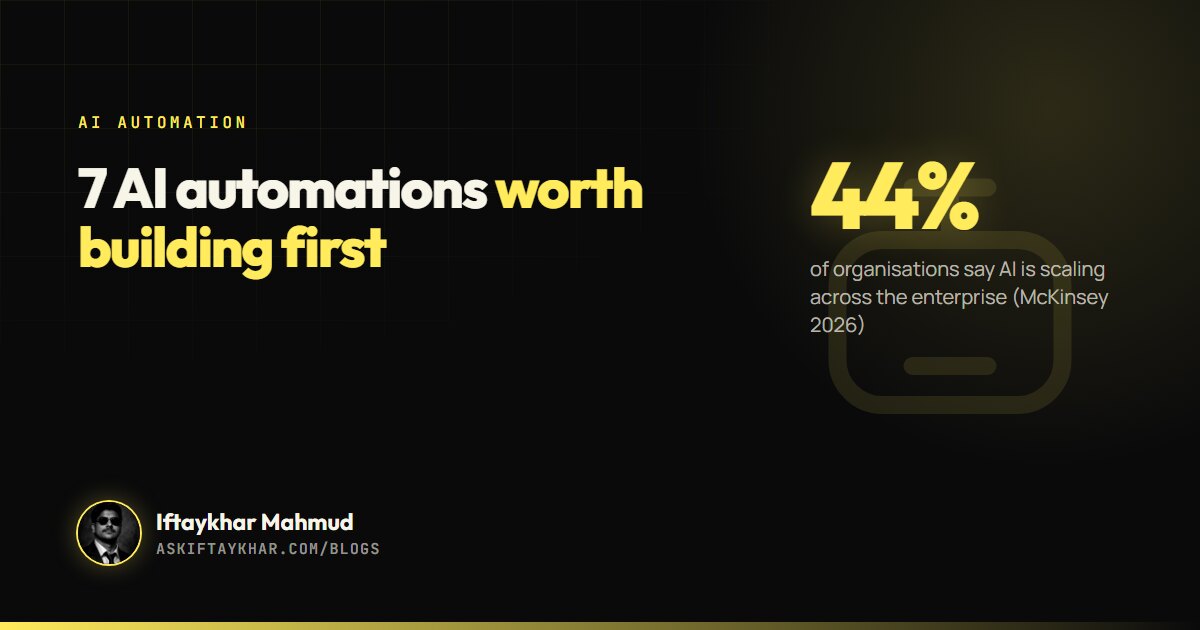
AI automation for small business guide cover: 44% of organisations say AI is scaling across the enterprise (McKinsey 2026), by Iftaykhar Mahmud
On this page
  1. Where businesses actually are with AI
  2. How a good AI workflow is built
  3. 7 AI automation workflows worth building first
  4. 3 tasks I deliberately leave to humans
  5. What this looked like in real work
  6. Why automations fail after the first month
  7. What AI automation for small business costs to run

Short answer

AI automation for a small business means connecting your tools so repetitive work, such as logging leads, replying to enquiries, writing meeting notes or building reports, happens automatically, with AI handling the reading and drafting. Start with high-volume, low-risk tasks, keep a human check on anything customer-facing or financial, and measure the hours saved.

Key takeaways

  • McKinsey's 2026 survey found nearly nine in ten organisations use AI regularly in at least one function, but only 44% say it is scaling across the enterprise.
  • The best first automations are frequent, repetitive and low risk: lead capture, enquiry triage, meeting notes, reporting.
  • Keep humans on pricing, sensitive complaints and anything sent at scale in your name.
  • Build each workflow with a trigger, an AI step, a human check where needed, and a logged action.
Almost every small business has the same hidden job. Copying details from a form into a spreadsheet. Writing the same reply to the same question for the tenth time this week. Chasing an invoice. Pulling numbers from four dashboards into one report on a Friday afternoon. None of it is hard. All of it adds up.

That hidden job is where AI automation for small business earns its keep. Not a chatbot on the homepage or an “AI strategy” deck, but a handful of workflows that quietly give back hours every week.

Where businesses actually are with AI

The gap between trying AI and getting value from it is wide. McKinsey’s 2026 State of AI survey found that nearly nine in ten respondents report regular use of AI in at least one business function. Yet only 44% say AI is scaling across their enterprise, up from 38% a year earlier. Most organisations are still using AI in pockets rather than across the business.

Small businesses have an advantage here: fewer systems, fewer approvals, and owners who feel the time saved directly. A workflow that saves a large company one hour a week is a rounding error. The same hour for a three-person team is real.

How a good AI workflow is built

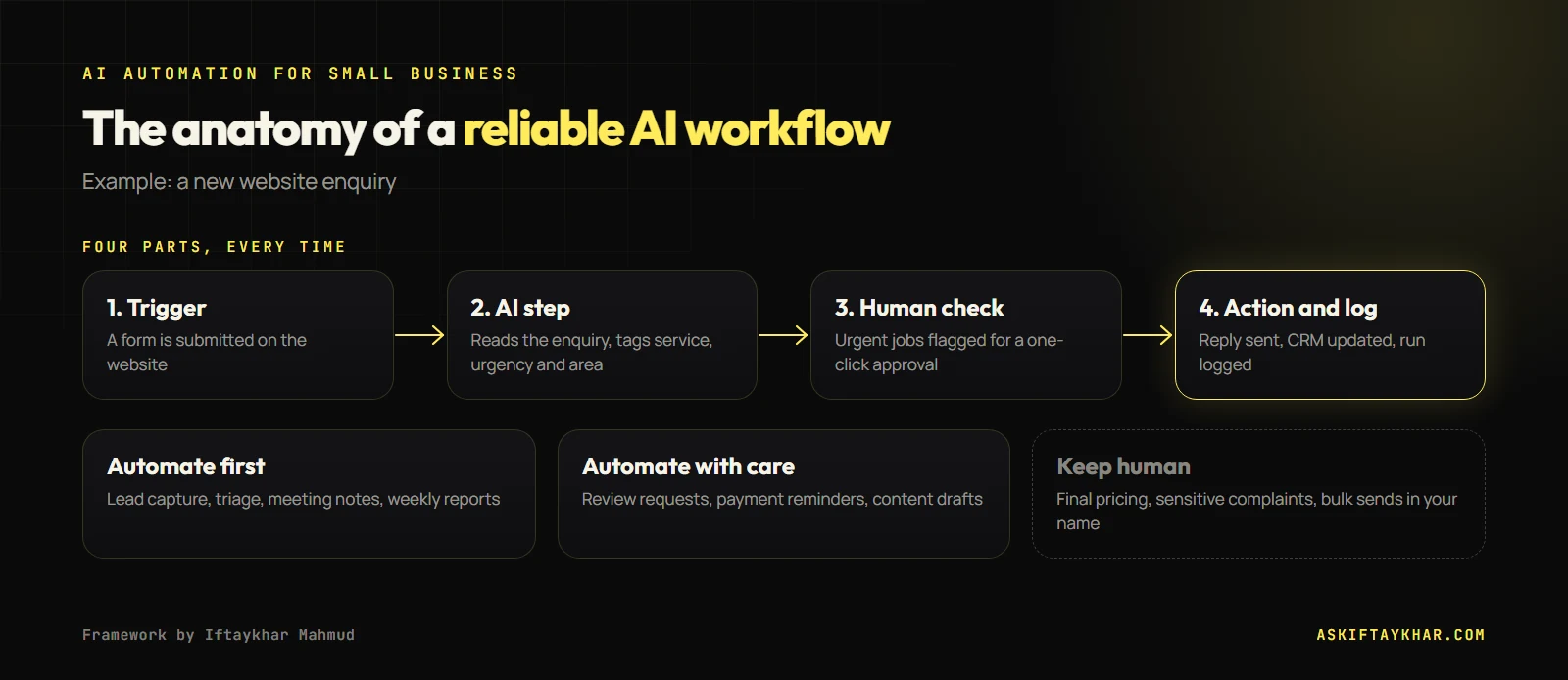
Every automation I build follows the same four-part shape. Keeping to it makes workflows easy to understand, fix and trust.

AI automation for small business workflow diagram: trigger, AI step, human check, action and log, with tasks to automate and tasks to keep human
Every reliable workflow has the same four parts, and some tasks should always stay human.
  1. Trigger: something happens. A form is submitted, an email arrives, a job is marked complete, it is Friday at 4 pm.
  2. AI step: a language model reads, classifies, summarises or drafts. This is the part that used to need a person.
  3. Human check: for anything customer-facing or risky, a person approves with one click. For internal, low-risk tasks, this step can be skipped.
  4. Action and log: the result is saved, sent or scheduled, and the run is logged so problems are visible.

The tools are ordinary. Make, Zapier and n8n connect apps without code. The AI step is usually a call to a model such as ChatGPT or Claude through their APIs. What matters is the design, not the brand of tool.

7 AI automation workflows worth building first

1. Lead capture to CRM with an instant reply

Every enquiry from your website, ads and social inbox lands in one place with its source recorded, and the person gets an immediate acknowledgement. Speed matters more than most owners think: I explain why in the speed to lead guide.

2. Enquiry triage

AI reads each new enquiry and tags it: which service, how urgent, which location, likely budget. Urgent jobs get flagged for a call. Out-of-area or off-topic enquiries get a polite template reply. The team starts each day with a sorted list instead of an inbox.

3. Meeting notes and follow-up drafts

A call recording or transcript goes in; a summary, action items and a draft follow-up email come out. The person who took the call edits and sends. For a team that takes a lot of calls, this one alone can give back hours every week.

4. Weekly reporting

Every Friday, numbers from ads, website analytics, the CRM and the booking system are pulled into one short report with a plain-language summary of what changed. Nobody has to open four dashboards.

5. Review requests after a completed job

When a job is marked complete, the customer receives a thank-you and a review link a day or two later, with one gentle reminder. Reviews compound: they help search rankings, ads and conversion rates.

6. Invoice and payment reminders

Polite, escalating reminders go out automatically before and after due dates, and stop the moment payment is recorded.

7. Content repurposing

A long piece of content, such as a podcast episode or a detailed client email, becomes drafts for social posts and a newsletter. A person still edits every draft before it goes out.

3 tasks I deliberately leave to humans

Knowing what not to automate is half the skill.

  • Final pricing and quotes. AI can prepare a draft quote from a brief. A person should always confirm the number, because one wrong quote costs more than a year of saved minutes.
  • Sensitive complaints. An angry or upset customer needs a human who can make a judgement call. AI can flag and summarise the complaint; it should not answer it.
  • Anything sent at scale in your name without review. Fully automated cold outreach or bulk messages can damage your sending domain and your reputation in an afternoon. Keep a person in the loop.

What this looked like in real work

At Remotie, a Melbourne growth agency, I ran the backend growth engine across five channels. The case study describes reporting and follow-up moving from manual to automated with AI task workflows, and the agency scaling client delivery without adding headcount.

For Asorin Management Inc., a mobile car key business in the Greater Toronto Area, the goal was turning scattered enquiries arriving by phone, email and messages into one booked, trackable pipeline. That is workflow 1 and workflow 2 above, applied to a real operation.

How I pick the first automation for a client

  1. List every repetitive task the team does in a normal week, with rough minutes per task.
  2. Mark each one for risk: what happens if it goes wrong?
  3. Start with the task that has the most minutes and the lowest risk.
  4. Build it, run it alongside the manual process for a week, then switch.
  5. Measure hours saved after a month, then pick the next one.

Why automations fail after the first month

Most failed automation projects did not fail on day one. They worked, and then quietly stopped. The causes are predictable.

  • Nobody owns them. A form field gets renamed, an app changes its login, and the workflow errors every day with no one reading the alerts. Every workflow needs a named owner and a weekly glance at its run history.
  • They automate a messy process. If the team handles enquiries three different ways, automating one of them locks in the confusion. Agree the process first, then automate it.
  • The AI step has no guardrails. A model asked to “reply to the customer” will sometimes promise things you do not offer. Give it a tight brief, examples of good answers, and a list of topics it must hand to a person.
  • Success is never measured. If you do not know how many minutes a task took before, you cannot show what the automation saved, and the project loses support.

What AI automation for small business costs to run

For most small businesses the running cost is modest: a subscription to an automation platform and usage fees for the AI model, which are charged per use and are small for everyday tasks like summarising an enquiry. The real cost is the build and the upkeep. Workflows break when a form changes or an app updates, so someone has to own them.

If you want these workflows designed and maintained for you, that is what my AI task automations service covers, and lead-focused systems sit under AI lead generation. You can read more about my background on the About page.

Frequently asked questions

What is AI automation for small business?

It is connecting your everyday tools so repetitive tasks happen automatically, with AI doing the reading, sorting and drafting that used to need a person. Typical examples are logging leads, sorting enquiries, writing meeting notes and sending reminders.

Which AI automation tools should a small business use?

Make, Zapier and n8n are the common platforms for connecting apps without code, combined with an AI model such as ChatGPT or Claude for the reading and writing steps. Choose based on the apps you already use and who will maintain the workflows.

Is it safe to use AI with customer data?

It can be, if you check each tool's data handling terms, avoid sending more personal data than a task needs, use business accounts rather than personal ones, and keep a human check on anything customer-facing.

How long does it take to set up an AI workflow?

A simple workflow such as lead capture with an instant reply can be built in a day. More complex ones that touch several systems take longer, and every workflow should run alongside the manual process for a week before you rely on it.

What should I not automate with AI?

Final pricing, sensitive complaints and anything sent at scale in your name without review. AI can prepare and summarise those, but a person should make the final call.

Keep reading

All articles
Start the conversation

Tell me where
growth is stuck.

Send the brief below or grab a 30-minute discovery slot. You will get a straight answer on whether I can move your numbers, and exactly how.

Send your query

Every field helps me answer properly the first time.